Find, compare and buy robots from top manufacturers
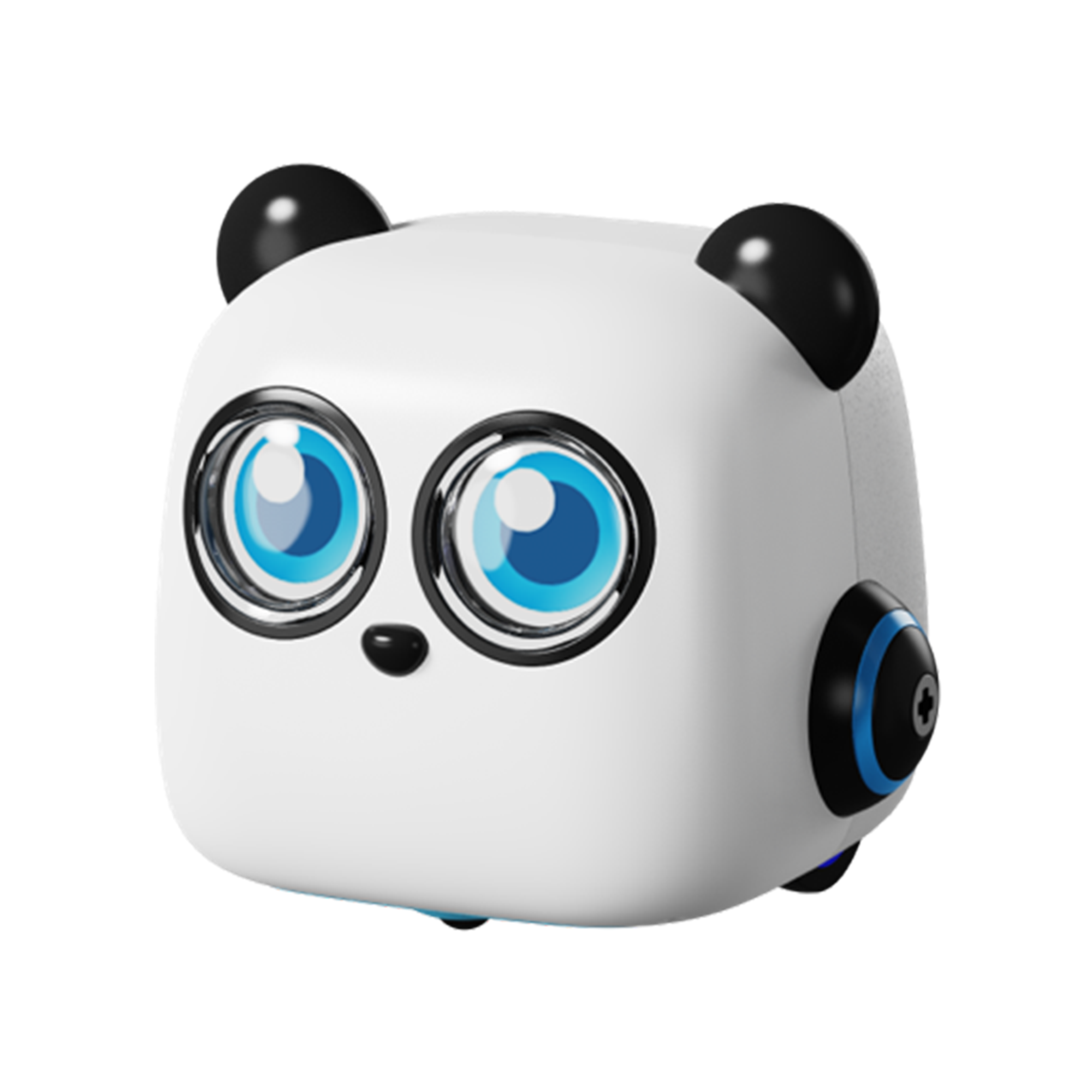
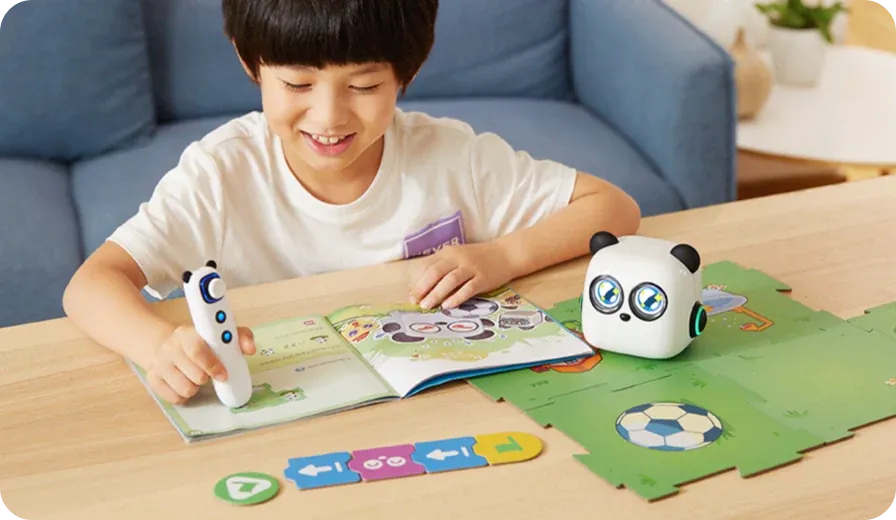

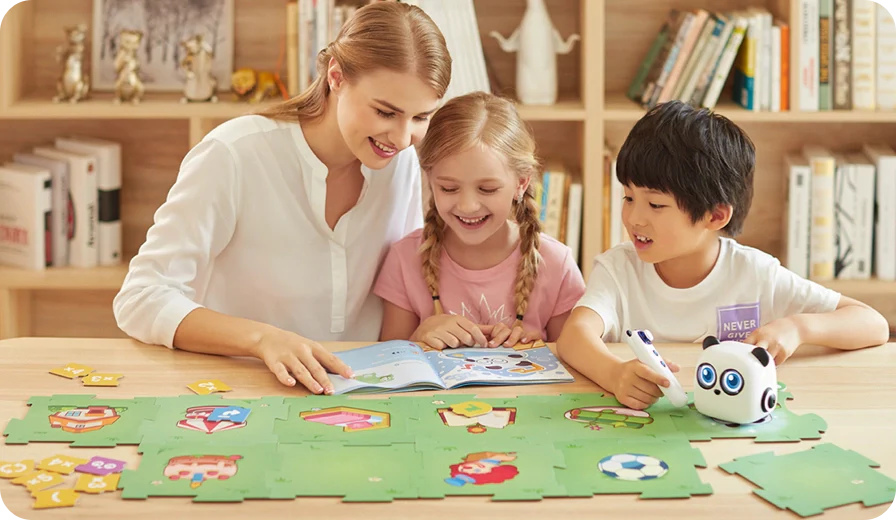
The Makeblock mTiny is a screen-free coding robot built for preschool learning, tangible programming, early mathematics, language activities, music, storytelling, and computational thinking.

Get quotes in 24–48 hours

Verified suppliers & secure process

Transparent pricing & guidance


The Makeblock mTiny is a screen-free educational robot designed for preschool and early-primary learners.
It combines a rechargeable mobile robot, tap pen controller, optical identification sensors, coding cards, themed maps, sounds, lights, and expressive feedback to turn basic programming into physical play.
mTiny is best suited for sequencing, direction, loops, problem solving, mathematics, language, music, storytelling, and small-group classroom activities.
Its tangible cards, maps, sounds, and expressive feedback make mTiny strongest for guided screen-free activities where young learners can connect sequencing and problem solving with physical movement.
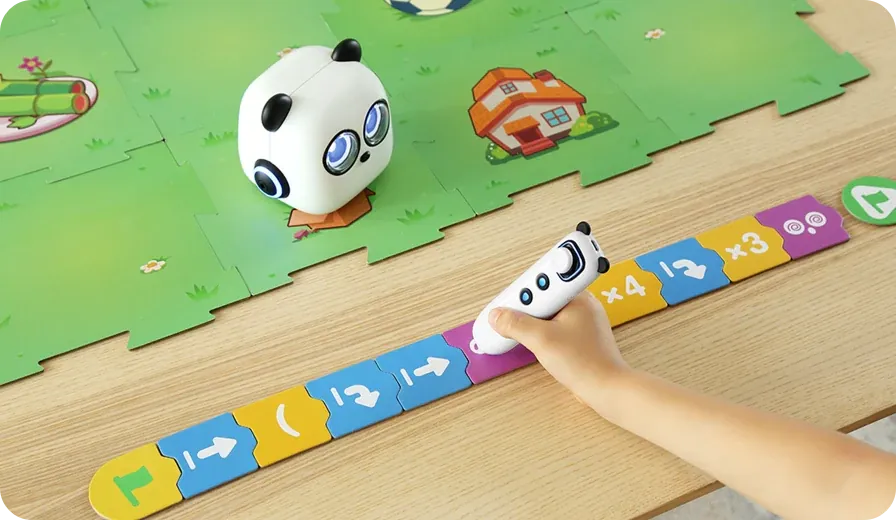
Children program with physical cards and a tap pen instead of a computer.
Themed maps connect robot movement with stories, maths, language, and games.
The robot and tap pen recognise coded cards and map content.
Sounds, lights, movements, and facial expressions keep early learners engaged.
Built-in batteries support repeated home and classroom activities.
Designed for guided preschool coding without mechanical assembly.
Screen-free early-learning coding robot
Preschool coding and storytelling
Indoor classrooms and homes
Portable classroom/home deployment
No rated carrying payload
No manipulator arm
Two-wheel floor movement across themed maps and coding cards
No manipulator arm
Not publicly specified
Approx. 1–2 h
1800 mAh LiPo; 300 mAh pen
Tap Pen, coding cards and maps
OID + 6-axis motion sensors
Not publicly specified
Not publicly specified

Makeblock Codey Rocky


The Makeblock mTiny price is publicly listed by Makeblock and can vary significantly with promotions and package version. The official US store has recently shown promotional pricing from around US$95, while higher list prices and classroom bundles may also appear.
The displayed robot or kit price is not always the final amount a school, university, family, lab or organisation will pay. The total cost can change with country, taxes, shipping, classroom quantity, accessories, charging equipment, spare parts, software requirements, training, warranty and distributor support. Because mTiny is sold in different home, discovery and education-style packages, compare the exact contents rather than assuming every listing includes the same maps and activities.
This is why buyers should compare the complete package rather than only the lowest headline price. A lower offer may omit essential items, while a higher package may include curriculum, storage, charging, replacement components or local technical support. For preschools, early-primary classrooms, libraries and families, it is useful to confirm the exact model, included hardware, device compatibility, delivery estimate and after-sales process before ordering.
The better question is: what is included, what is excluded, and who supports the product after delivery? You can request a Makeblock mTiny quote through Anton Robots to compare the full package, availability and support options before buying.
You can buy or request the Makeblock mTiny through Anton Robots. We help buyers compare screen-free coding robot packages, check current availability, understand what is included and decide whether the product is suitable for preschool coding, early mathematics, language, music and computational-thinking activities. The Makeblock mTiny may also be available through Makeblock and selected authorised education or robotics sellers. Not every listing represents the same package. Some sellers offer only the core robot, while others include chargers, curriculum, storage, accessories, software access, replacement parts, setup help or institutional support.
Before buying, confirm the mTiny robot, tap pen controller, themed maps, coding cards, activity materials, charging cables, warranty and regional support. This matters when several students will share the robot or when the purchase must work with a specific operating system, tablet, classroom network or lesson plan. For schools, universities, makerspaces, libraries and families, total package value is normally more important than the lowest displayed price.
To start, request a Makeblock mTiny quote and Anton Robots can help you compare price, package, shipping and support.
You can look for the Makeblock mTiny for sale through Makeblock, authorised education suppliers, robotics distributors and specialist robot marketplaces such as Anton Robots. Finding a listing is only the first step. The important part is confirming the exact model, condition, package and support terms. A low advertised price may exclude chargers, cables, curriculum, accessories, replacement components, shipping, taxes, warranty handling or technical support.
For professional and education buyers, compare the complete delivered package rather than the robot alone. Check the kit edition, map packs, tap pen, coding cards, battery condition, charging cables, language of the activity materials, delivery and warranty. This is especially important for preschools, primary schools, libraries, childcare centres and families that need the equipment to work across a full class, research project, workshop or fixed teaching calendar. Used and old-stock listings may also have worn batteries, missing parts or software compatibility limitations.
If you are looking for a Makeblock mTiny for sale and want help checking whether an offer is complete and current, contact Anton Robots before placing an order.
Yes. You can get a quote for the Makeblock mTiny through Anton Robots. A useful quote should include more than the base educational robot price. It should clearly show the exact mTiny kit, robot quantity, tap pens, map packs, coding and activity cards, charging cables, storage, shipping, warranty and available education support.
This matters because two packages with the same product name can have very different classroom or project value. A cheaper quote may become more expensive once charging, accessories, software, shipping, taxes, replacement parts or training are added.
If you are buying for preschool classrooms, early-primary programs, libraries, homeschool learning or teacher training, also confirm that the robot matches the learner level, devices, network environment, programming language and number of users. Anton Robots can help you compare mTiny with other screen-free and beginner coding robots and prepare a quote based on your country, quantity, use case and support requirements. Before approving the order, ask for an itemised package and a written delivery estimate. That makes it easier to compare offers accurately and reduces the risk of receiving a robot without the components or support needed to use it.
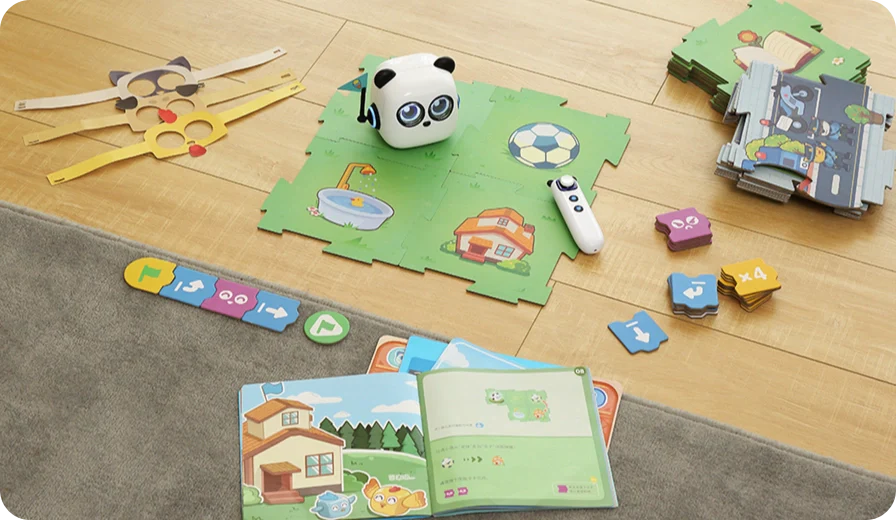
A typical Makeblock mTiny package may include the mTiny robot, tap pen controller, built-in rechargeable batteries, themed map materials, coding cards and starter activities. The exact contents can vary by country, seller, kit version and classroom bundle. Before buying, ask for a clear packing list and confirm whether the offer includes:
This matters because product photographs often show accessories, maps, devices, modules or classroom equipment that are not part of the basic package. For preschools, schools and families, missing chargers, cables, consumables or curriculum can delay implementation even when the robot itself arrives correctly. You should also check whether batteries are included, whether a computer or tablet is required, which software is supported and whether replacement parts remain available. Two offers can both use the same product name while containing very different quantities and support.
If you want to compare what is included, you can request an itemised Makeblock mTiny package quote through Anton Robots before buying.
The Makeblock mTiny is designed primarily for preschool and early-primary learners. Its screen-free tap pen, coding cards and themed maps are intended to introduce sequencing, direction, loops, problem solving and cause-and-effect before children are ready for conventional programming software. The robot is most useful when an adult or teacher guides the activity and selects tasks that match the child’s reading, motor and attention level.
Younger learners can begin by driving the robot and following stories, while older early-primary students can plan longer instruction sequences and explain why a program worked or failed. mTiny should not be treated as a substitute for an advanced coding platform. Students who are ready for block coding, Python, electronics or open-ended robot building may outgrow it and need a platform such as Codey Rocky, mBot or another programmable kit.
Before buying for a school, confirm the recommended age range for the exact curriculum and how many children will share each robot.
The Makeblock mTiny is programmed with physical coding cards and the tap pen controller, rather than a conventional laptop-based coding editor. Children arrange direction, action, loop and other instruction cards, then use the tap pen to scan the sequence so the robot can execute it.
The themed map blocks use optical identification technology, allowing mTiny to react to locations, stories and activity content as it moves. This approach helps learners understand that a program is an ordered set of instructions without requiring typing, accounts or a software installation.
Teachers can use the same method to introduce debugging by asking students to predict the path, run the sequence and change the card order when the robot does not reach the target. The platform is intentionally simpler than Scratch, Python or ROS. If your objective is software development or advanced robotics control, mTiny is not the right long-term platform. For early computational thinking and tangible sequencing, its programming method is one of its strongest features.
No. The Makeblock mTiny can be used as a fully screen-free coding robot. Its core learning experience is built around the tap pen controller, coding cards, themed maps and physical activities, so children do not need a phone, tablet, laptop, online account or classroom Wi-Fi to begin.
This makes mTiny attractive for early-childhood settings where teachers want to limit screen time, avoid device-management problems or run activities in small groups away from computers. A computer or internet connection may still be useful for downloading manuals, activity ideas, firmware information or support resources, but it is not the normal programming interface used by children.
Buyers should still confirm that the selected package includes the tap pen and the required physical materials, because the robot alone does not provide the full intended learning experience. If your curriculum specifically requires block coding on screen, Python or digital project sharing, a different Makeblock platform may be more appropriate.
The Makeblock mTiny can support early coding, mathematics, language, music and social learning activities when lessons are designed around its maps, cards and interactive feedback. Coding activities can introduce sequence, direction, repetition, decomposition, prediction and debugging.
Map-based tasks can reinforce counting, shapes, letters, storytelling, spatial language and route planning. Because the robot responds with movement, sounds and expressions, teachers can ask children to explain what they expect to happen and compare that prediction with the result.
The value comes from the activity design rather than from the robot moving by itself. A strong lesson should have a clear objective, limited instruction set and short reflection at the end. mTiny is not an open-ended engineering kit, so it is less suitable for teaching electronics, mechanical assembly or advanced programming. For preschool and early-primary learners, however, it offers a practical bridge between physical play and computational thinking without making the screen the centre of the lesson.
Yes. The Makeblock mTiny is suitable for preschools, early-primary classrooms, childcare centres, libraries and introductory STEM programs that want a tactile, screen-free robot.
It is ready to use without mechanical assembly and can support small-group activities where children plan routes, follow stories, solve map challenges and practise turn-taking. For classroom purchasing, the main question is not only the number of robots. Teachers should also plan the student-to-robot ratio, quantity of tap pens, map sets, coding cards, charging cables, storage and cleaning process. Small physical cards can be lost, so labelled sets and an inventory routine are useful.
Educators should test the activity before class and keep the task simple enough that students focus on the learning objective rather than waiting for turns. mTiny works best with guided instruction and structured activities. Schools seeking open-ended programming, robotics competitions or secondary-level computer science should compare more advanced robots before buying.
Yes. The Makeblock mTiny can be a good home or homeschool coding robot for young children who respond well to stories, maps and physical play.
Parents can begin with simple direction cards, then gradually introduce longer sequences, loops and challenges that require the child to predict and correct the robot’s path. Because no tablet or computer is required for the main activity, setup is relatively simple and the robot can be used at a table or on the floor with the themed maps.
The purchase makes most sense when an adult is willing to guide activities rather than expecting the robot to entertain or teach independently. Check that the package includes enough map and activity content for repeated use, and consider whether additional packs are available. Children who already use Scratch confidently or want to build their own robots may find mTiny too limited. For early learners, it offers a friendly and approachable introduction to coding concepts.
The right Makeblock robot depends on the learner’s age and the type of coding experience required. mTiny is the best fit for preschool and early-primary learners who need screen-free, tangible coding with cards, maps and a tap pen. Codey Rocky is better for children ready to use block coding and later Python, while exploring sensors, expressions, line following and simple AI or IoT projects. mBot or mBot2 is more suitable when assembly, mechanical components, electronics and expandable robotics are important.
Do not choose only by price. Consider whether the learner can read instructions, use a computer, manage small construction parts and work independently. A school may use mTiny as an early-years entry point and move students to Codey Rocky or mBot later.
You can contact Anton Robots to compare the three platforms based on age group, curriculum, classroom devices and budget.
Makeblock lists the mTiny robot with an 1,800 mAh rechargeable LiPo battery and the tap pen with a 300 mAh rechargeable battery. Typical playtime is listed at approximately one to two hours, with charging also taking roughly one to two hours depending on the power source and battery condition. Actual classroom runtime can vary with movement, sound, lighting, age of the battery and how continuously the robot is used.
Schools should not assume that one charge will support every class period across a full day. Build charging into the timetable, label each robot and tap pen as a pair, and confirm that both devices are charged before a lesson.
Battery performance will decline over time, so replacement and support options should be checked before a large purchase. Charging should be supervised and completed with suitable equipment. If multiple robots are being deployed, ask whether the supplier offers an organised charging and storage solution.
The most important Makeblock mTiny accessories are the physical materials that make the screen-free learning system work. Buyers should check for tap pens, themed map blocks, coding cards, activity cards, masks, flags, charging cables and protective storage.
For schools, replacement coding cards and a way to organise map pieces may be more valuable than decorative accessories because small items are easily mixed or lost. Also confirm whether additional curriculum or activity packs are available in the language used by the class. mTiny is compatible with LEGO bricks for some creative extensions, but that does not turn it into a full mechanical construction kit. Before purchasing extras, check that they match the exact mTiny version and package. Keep a simple inventory sheet and inspect charging ports, cables and map materials regularly.
You can request an itemised mTiny classroom package through Anton Robots that includes the robot, physical coding materials, spares and storage.
The Makeblock mTiny is worth buying when you need a screen-free first coding robot for preschool and early-primary learners. Its main value comes from its tap pen control, physical coding cards, themed maps, expressive feedback and low barrier to entry. It is especially useful when buyers want a physical robot that turns abstract programming or robotics concepts into visible movement and immediate feedback.
However, the Makeblock mTiny is only a good purchase when the learner level, software environment and lesson goals match the platform. It is not designed for Python, electronics, robot construction, ROS, advanced autonomy or independent long-term progression into professional robotics.
Buyers should not select it only because it looks engaging or because a single online price appears low. Consider how many users will share each robot, how it will be charged, whether teachers need training and how easily parts can be replaced. If students are already ready for on-screen programming or open-ended building, compare Codey Rocky, mBot or other education robots instead. You can compare other education and research robots on Anton Robots before choosing and request advice based on age group, curriculum, budget and technical depth.
A complete Makeblock mTiny deployment requires more than purchasing the robot itself. For a preschool, early-primary classroom, library or childcare program, plan the number of robots, student-to-robot ratio, charging process, storage, supported devices, software accounts and lesson sequence before the first session.
Test one full workflow before rolling the product out across a class. Confirm how programs are transferred, whether the network permits the required connection method and whether teachers can reset, calibrate and troubleshoot the robot without losing lesson time. Keep spare cables, charging equipment and frequently handled components available where practical.
Buyers should also define supervision, age-appropriate use and a process for cleaning and inspecting devices between sessions. mTiny works best when teachers treat it as a guided learning tool rather than an autonomous toy. Use the request a quote form to obtain an itemised package rather than comparing robot-only prices.
Tell us what you need. Our experts will help you find the right robot for your business.
Browse Robots
Humanoid Robots
Robot Dogs
Robotic Arms
Cobots
AMR Robots
AGV Robots
Service Robots
Companion Robots

