Find, compare and buy robots from top manufacturers
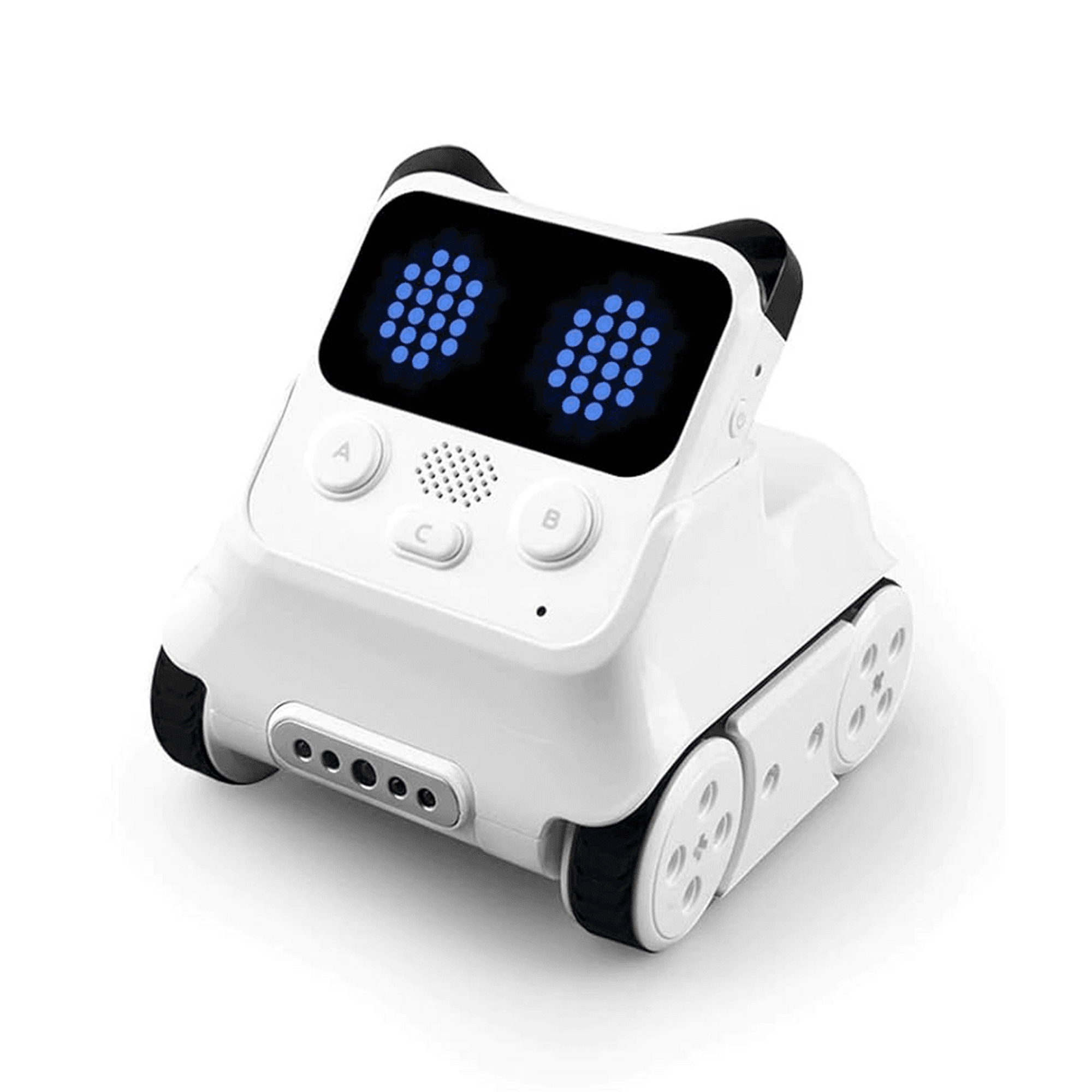

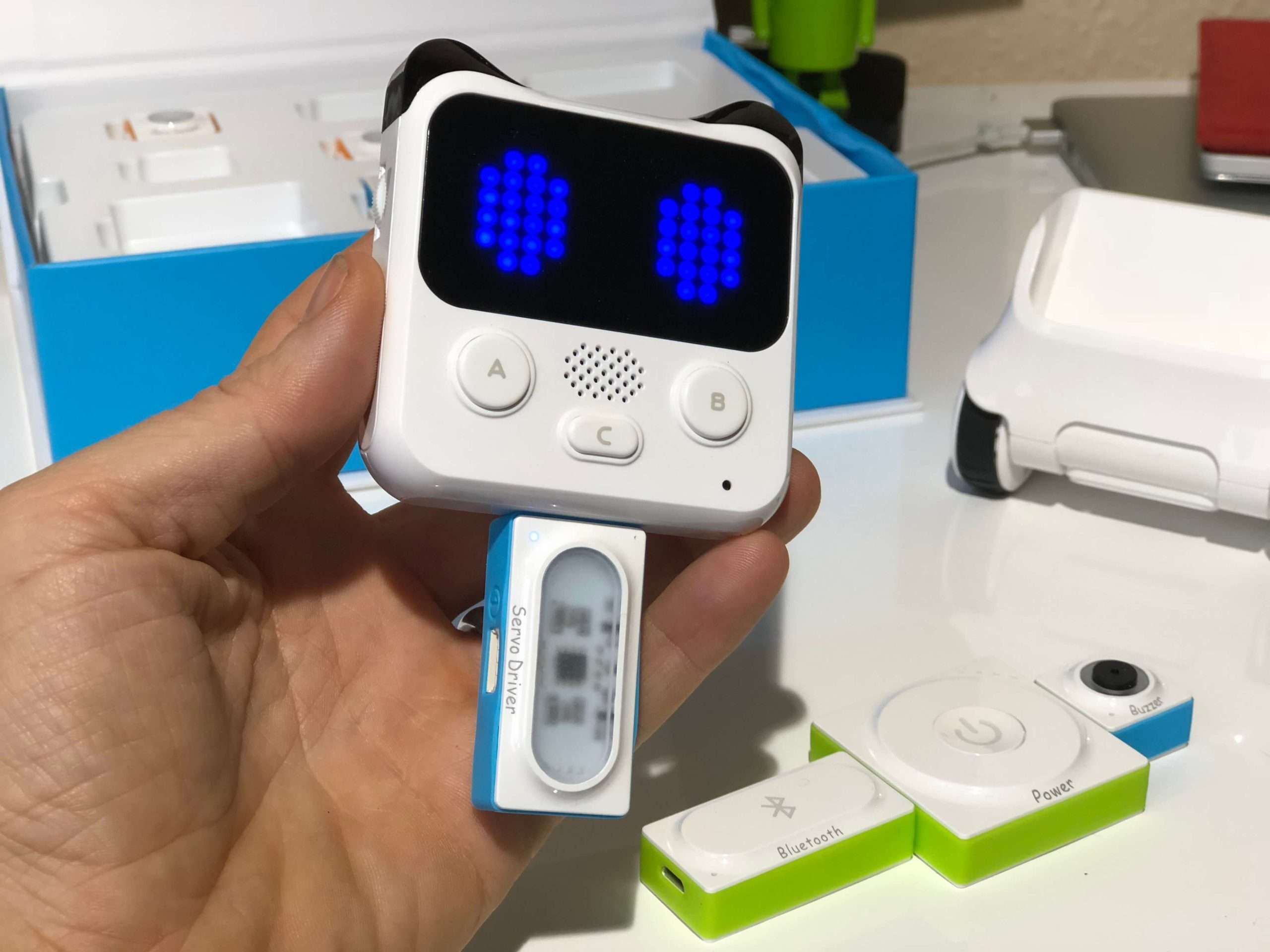
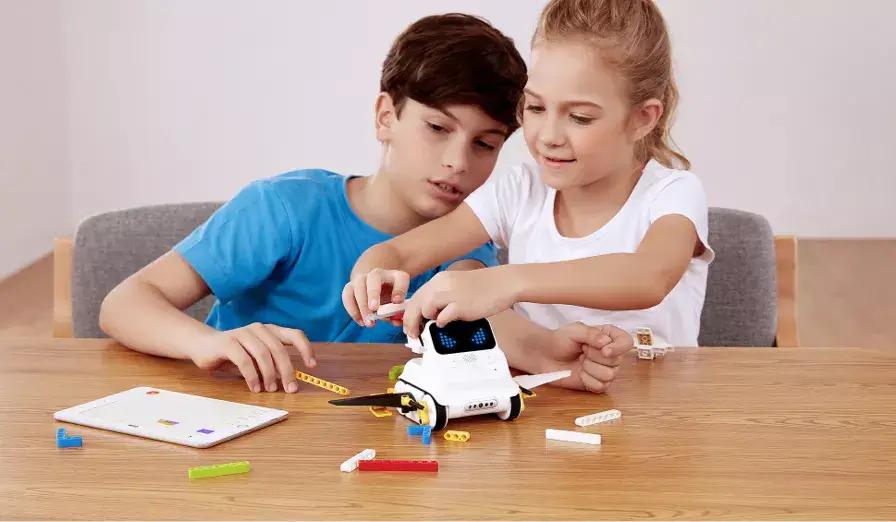
The Makeblock Codey Rocky is an interactive coding robot built for block programming, Python, sensor projects, line following, obstacle avoidance, AI, IoT, and primary STEM learning.

Get quotes in 24–48 hours

Verified suppliers & secure process

Transparent pricing & guidance


The Makeblock Codey Rocky is a ready-to-use educational robot designed to connect programming with movement, sensing, light, sound, and expression.
It combines an ESP32-based Codey controller, Rocky wheeled chassis, LED matrix, speaker, gyroscope, accelerometer, light and sound sensors, infrared communication, colour sensing, Bluetooth, Wi-Fi, and USB.
Codey Rocky is best suited for block coding, Python progression, line following, obstacle avoidance, interactive games, and introductory AI or IoT activities.
Its expressive controller, broad sensor set, mobile base, and progression from block coding to Python make Codey Rocky a flexible platform for creative primary STEM projects and introductory connected robotics.
Progress from beginner visual programming to text-based Python.
LED matrix, RGB light, speaker, buttons, and programmable feedback.
Includes light, sound, motion, orientation, colour, and infrared sensing.
Supports driving, line following, obstacle avoidance, and colour recognition.
Uses Bluetooth and Wi-Fi, with USB available for setup and programming.
Supports introductory connected and software-assisted projects through mBlock.
Educational coding robot
Coding, AI and robotics education
Indoor classrooms and homes
Portable classroom/home deployment
No rated carrying payload
No manipulator arm
Tracked differential-drive Rocky base
No manipulator as standard
Not publicly specified
Approx. 1–2 h
3.7 V 950 mAh LiPo
mBlock, Python and app control
Sound, light, IMU, IR/color sensors
170 × 120 × 80 mm
0.5 kg


The Makeblock Codey Rocky price is publicly listed by Makeblock. The official US store has recently shown the standard robot around US$139.99, with higher pricing for packages that add a Bluetooth dongle or education materials. The displayed robot or kit price is not always the final amount a school, university, family, lab or organisation will pay. The total cost can change with country, taxes, shipping, classroom quantity, accessories, charging equipment, spare parts, software requirements, training, warranty and distributor support. The robot is sold in more than one bundle, so confirm whether the Bluetooth dongle, education resources or expansion modules are included.
This is why buyers should compare the complete package rather than only the lowest headline price. A lower offer may omit essential items, while a higher package may include curriculum, storage, charging, replacement components or local technical support. For primary schools, coding clubs, families, libraries and STEM programs, it is useful to confirm the exact model, included hardware, device compatibility, delivery estimate and after-sales process before ordering.
The better question is: what is included, what is excluded, and who supports the product after delivery? You can request a Makeblock Codey Rocky quote through Anton Robots to compare the full package, availability and support options before buying.
You can buy or request the Makeblock Codey Rocky through Anton Robots. We help buyers compare interactive coding robot packages, check current availability, understand what is included and decide whether the product is suitable for block-based programming, Python, sensor projects, line following, obstacle avoidance, AI activities and introductory IoT. The Makeblock Codey Rocky may also be available through Makeblock and selected authorised education or robotics sellers. Not every listing represents the same package. Some sellers offer only the core robot, while others include chargers, curriculum, storage, accessories, software access, replacement parts, setup help or institutional support.
Before buying, confirm the Codey controller, Rocky chassis, charging cable, colour cards, Bluetooth or Wi-Fi requirements, software access, curriculum, delivery and warranty. This matters when several students will share the robot or when the purchase must work with a specific operating system, tablet, classroom network or lesson plan. For schools, universities, makerspaces, libraries and families, total package value is normally more important than the lowest displayed price.
To start, request a Makeblock Codey Rocky quote and Anton Robots can help you compare price, package, shipping and support.
You can look for the Makeblock Codey Rocky for sale through Makeblock and authorised education resellers, authorised education suppliers, robotics distributors and specialist robot marketplaces such as Anton Robots. Finding a listing is only the first step. The important part is confirming the exact model, condition, package and support terms. A low advertised price may exclude chargers, cables, curriculum, accessories, replacement components, shipping, taxes, warranty handling or technical support.
For professional and education buyers, compare the complete delivered package rather than the robot alone. Check the exact package, Codey and Rocky modules, battery condition, charging cable, Bluetooth dongle if required, colour cards, software compatibility, delivery and warranty. This is especially important for schools, coding clubs, camps, libraries, homeschool families and makerspaces that need the equipment to work across a full class, research project, workshop or fixed teaching calendar. Used and old-stock listings may also have worn batteries, missing parts or software compatibility limitations.
If you are looking for a Makeblock Codey Rocky for sale and want help checking whether an offer is complete and current, contact Anton Robots before placing an order.
Yes. You can get a quote for the Makeblock Codey Rocky through Anton Robots. A useful quote should include more than the base coding robot price. It should clearly show the robot quantity, Bluetooth dongles where needed, charging cables, storage, curriculum, software setup, shipping, warranty and support.
This matters because two packages with the same product name can have very different classroom or project value. A cheaper quote may become more expensive once charging, accessories, software, shipping, taxes, replacement parts or training are added.
If you are buying for primary classrooms, coding courses, AI and IoT introductions, clubs, camps or homeschool learning, also confirm that the robot matches the learner level, devices, network environment, programming language and number of users. Anton Robots can help you compare Codey Rocky with mTiny, mBot2 and other Makeblock education robots and prepare a quote based on your country, quantity, use case and support requirements. Before approving the order, ask for an itemised package and a written delivery estimate. That makes it easier to compare offers accurately and reduces the risk of receiving a robot without the components or support needed to use it.
A typical Makeblock Codey Rocky package may include the removable Codey programmable controller, Rocky wheeled chassis, built-in rechargeable battery, micro-USB cable, colour cards, lanyard and starter materials. The exact contents can vary by country, seller, kit version and classroom bundle. Before buying, ask for a clear packing list and confirm whether the offer includes:
This matters because product photographs often show accessories, maps, devices, modules or classroom equipment that are not part of the basic package. For schools, camps and families, missing chargers, cables, consumables or curriculum can delay implementation even when the robot itself arrives correctly. You should also check whether batteries are included, whether a computer or tablet is required, which software is supported and whether replacement parts remain available. Two offers can both use the same product name while containing very different quantities and support.
If you want to compare what is included, you can request an itemised Makeblock Codey Rocky package quote through Anton Robots before buying.
The Makeblock Codey Rocky can drive, follow lines, avoid obstacles, recognise colours, display expressions, play sounds and respond to motion, light and sound. Codey is the programmable controller and expressive upper unit, while Rocky is the mobile base.
The combination supports maze activities, colour detection, sensor-triggered behaviours, games, creative characters and introductory AI or IoT projects through mBlock. Students can program the LED matrix, RGB light, speaker, buttons, potentiometer, gyroscope, accelerometer, light sensor, sound sensor and infrared functions.
The robot is designed for learning and controlled indoor activities, not autonomous navigation or industrial transport. Some AI and IoT lessons depend on internet access, compatible devices and cloud features. The most valuable projects connect one or two sensors to a clear coding concept rather than using every feature at once. For schools, plan a progression from basic movement to sensor logic and later Python.
The Makeblock Codey Rocky can be programmed with mBlock using block-based coding and Python. Beginners can drag and connect visual blocks to control movement, expressions, lights, sounds and sensors.
More advanced learners can transition into Python and explore variables, functions, sensor data and algorithmic thinking. The robot communicates through USB, Bluetooth or Wi-Fi depending on the activity and device setup.
Makeblock also provides ready-to-learn projects and app control. Teachers should test the selected connection method before class because institutional Bluetooth, Wi-Fi or account policies can affect setup. Python support makes Codey Rocky more progressive than many early-childhood robots, but it is still an education platform rather than a full Linux or ROS development computer. The removable Codey controller can also be used for non-mobile projects, which extends the learning value beyond driving the Rocky chassis.
The Makeblock Codey Rocky includes more than ten onboard electronic functions. Codey contains an LED matrix, RGB LED, buttons, potentiometer, sound sensor, light sensor, gyroscope, accelerometer, infrared transmitter, infrared receiver and speaker. Rocky adds an infrared colour and proximity sensor used for colour recognition, line following, obstacle avoidance and distance-style interactions.
The controller uses an ESP32 dual-core processor running up to 240 MHz. These components let learners build projects around motion, orientation, sound, light, colour, communication and feedback without wiring separate modules. Sensor readings still depend on environment, calibration and code. Colour recognition and line following can be affected by surface, lighting and sensor height.
Buyers should confirm whether extra Neuron blocks or other expansion modules shown in lesson examples are included, because the standard robot package does not contain every accessory in the Makeblock ecosystem.
Yes. The Makeblock Codey Rocky is suitable for primary classrooms, coding clubs, libraries, camps and introductory AI or IoT programs.
It arrives assembled, so students can begin programming more quickly than with a construction kit. Its expressive display and sounds help younger learners understand feedback, while Python provides a path for more advanced students. For classroom purchasing, decide whether each student works individually or in pairs, confirm the connection method and test mBlock on school devices.
Bluetooth dongles may be needed in some computer environments. Teachers should also plan charging, storage, firmware updates and a progression of lessons. The robot is compact and robust enough for normal classroom use, but it is not waterproof or designed for rough outdoor surfaces. Schools that want mechanical assembly and engineering may prefer mBot; schools that want screen-free preschool coding may prefer mTiny.
Yes. The Makeblock Codey Rocky can support introductory AI and Internet of Things activities through the mBlock ecosystem. Students can connect sensor inputs and robot actions with software-based services, explore speech or image-related examples where supported, and create projects that use Wi-Fi communication or online data.
The exact features depend on the current mBlock version, account access, internet connection and device permissions. Codey Rocky does not run large AI models locally like a research computer, and cloud-dependent projects may change when online services are updated.
Teachers should treat it as an introduction to AI concepts, data flow and connected devices rather than a professional AI robot. Always review privacy, account and network requirements before using cloud features with students. For offline lessons, the robot still supports substantial programming through movement, sensors, lights and sound.
Choose Codey Rocky when learners are ready for on-screen block coding, sensor projects and a later move into Python without spending lesson time on mechanical assembly. Choose mTiny for younger preschool or early-primary learners who need a screen-free tap-pen and coding-card experience.
Choose mBot2 when mechanical robotics, expandable hardware, stronger movement control and the CyberPi ecosystem are more important. Codey Rocky sits between the two: more programmable and technically progressive than mTiny, but simpler to deploy than a buildable mBot.
Do not choose only by age or price. Consider available computers, teacher experience, lesson duration, whether students enjoy building and how far the curriculum should progress. Anton Robots can help compare the three Makeblock platforms and prepare an education package based on student level, device environment and budget.
The Makeblock Codey Rocky includes a 3.7 V, 950 mAh rechargeable LiPo battery. Makeblock lists approximately one to two hours of playtime and around 1.5 hours of charging, depending on use and power source.
Actual runtime varies with motor movement, LED matrix brightness, sound, Wi-Fi or Bluetooth activity, sensor use and battery age. Schools should charge robots before class and avoid assuming one charge will cover every lesson across a full day.
The battery is inside the robot, so long-term service and replacement options should be confirmed before a large purchase. Store robots with an appropriate charge level and inspect charging cables and ports regularly. If multiple classes share a fleet, use a labelled charging schedule. Ask whether the package includes enough cables and the correct power adapters, because a USB cable alone may not provide a complete classroom charging system.
Useful Codey Rocky accessories include a Bluetooth dongle where required, spare charging cables, storage cases, classroom curriculum and Makeblock Neuron expansion blocks. The robot is also compatible with LEGO bricks, allowing students to add lightweight decorations and simple structures. Makeblock offers education packages that combine Codey Rocky with additional electronic modules for sensor and maker projects.
Before adding hardware, confirm mechanical fit, power limits, software support and whether the lesson requires a specific kit. Heavy structures can affect movement and obstacle sensing. For schools, practical spares such as cables and dongles are normally more important than decorative parts. Keep robots, colour cards and accessories labelled and together.
You can request an itemised Codey Rocky classroom package through Anton Robots with robot quantity, connectivity hardware, curriculum, expansions, charging and storage.
The Makeblock Codey Rocky can usually be shipped internationally, but delivery depends on the seller, destination country, regional distribution, stock, customs rules, taxes and local product availability. Makeblock may route buyers outside its direct US delivery area to local distributors, and package contents or pricing can vary by region. The headline product price may not include international freight, VAT, GST, import duties, customs handling or local delivery. The robot contains a rechargeable LiPo battery, so air transport rules can affect carrier, cost and delivery time.
Before ordering, ask whether shipping is included, who handles customs clearance and whether the warranty is valid in the destination country. Schools and organisations should also confirm invoicing, purchase-order acceptance, lead time and the process for replacing damaged or missing components. A product that is easy to buy in one country may require an authorised local distributor in another. This is why buyers should compare the delivered package rather than only the online price.
If you need the Makeblock Codey Rocky for an international education, research or STEM project, request an international quote through Anton Robots so availability, landed cost and support can be checked before purchase.
The Makeblock Codey Rocky is worth buying when you need a ready-to-use coding robot that progresses from visual programming into Python. Its main value comes from its expressive LED matrix, sound, sensors, ESP32 controller, removable Codey unit, mobile Rocky chassis and mBlock ecosystem. It is especially useful when buyers want a physical robot that turns abstract programming or robotics concepts into visible movement and immediate feedback.
However, the Makeblock Codey Rocky is only a good purchase when the learner level, software environment and lesson goals match the platform. It is not a mechanical construction kit, ROS platform or research-grade autonomous robot, and some AI or IoT activities depend on software, accounts and internet access.
Buyers should not select it only because it looks engaging or because a single online price appears low. Consider how many users will share each robot, how it will be charged, whether teachers need training and how easily parts can be replaced. Compare mTiny for screen-free early learning and mBot2 when construction, hardware expansion and more advanced mobile robotics are central goals. You can compare other education and research robots on Anton Robots before choosing and request advice based on age group, curriculum, budget and technical depth.
A complete Makeblock Codey Rocky deployment requires more than purchasing the robot itself. For a primary coding course, club, camp, library or introductory AI program, plan the number of robots, student-to-robot ratio, charging process, storage, supported devices, software accounts and lesson sequence before the first session.
Test one full workflow before rolling the product out across a class. Confirm how programs are transferred, whether the network permits the required connection method and whether teachers can reset, calibrate and troubleshoot the robot without losing lesson time. Keep spare cables, charging equipment and frequently handled components available where practical.
Buyers should also define supervision, age-appropriate use and a process for cleaning and inspecting devices between sessions. Codey Rocky is easiest to manage when every class uses the same connection method and software version. Use the request a quote form to obtain an itemised package rather than comparing robot-only prices.
Tell us what you need. Our experts will help you find the right robot for your business.
Browse Robots
Humanoid Robots
Robot Dogs
Robotic Arms
Cobots
AMR Robots
AGV Robots
Service Robots
Companion Robots

