Find, compare and buy robots from top manufacturers
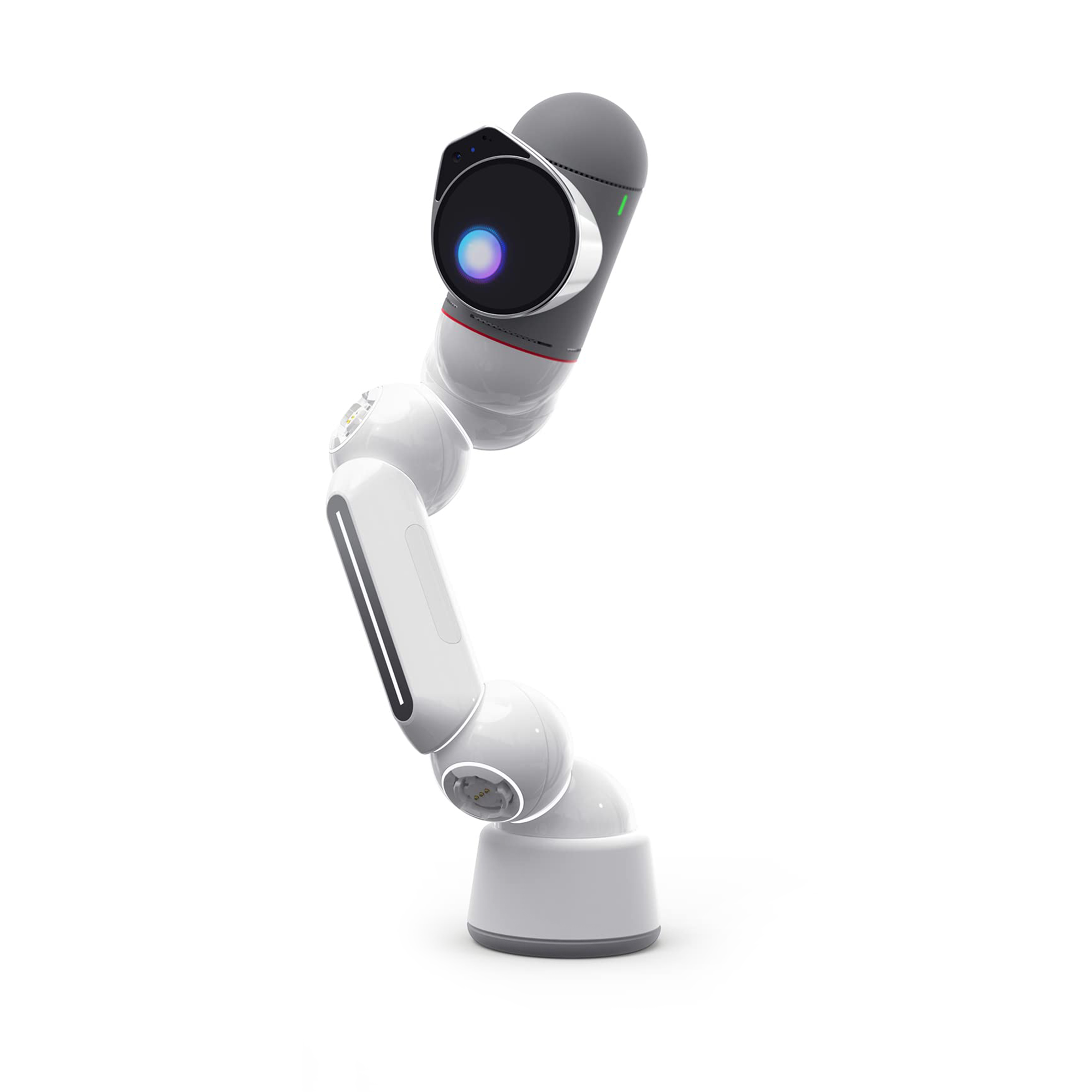
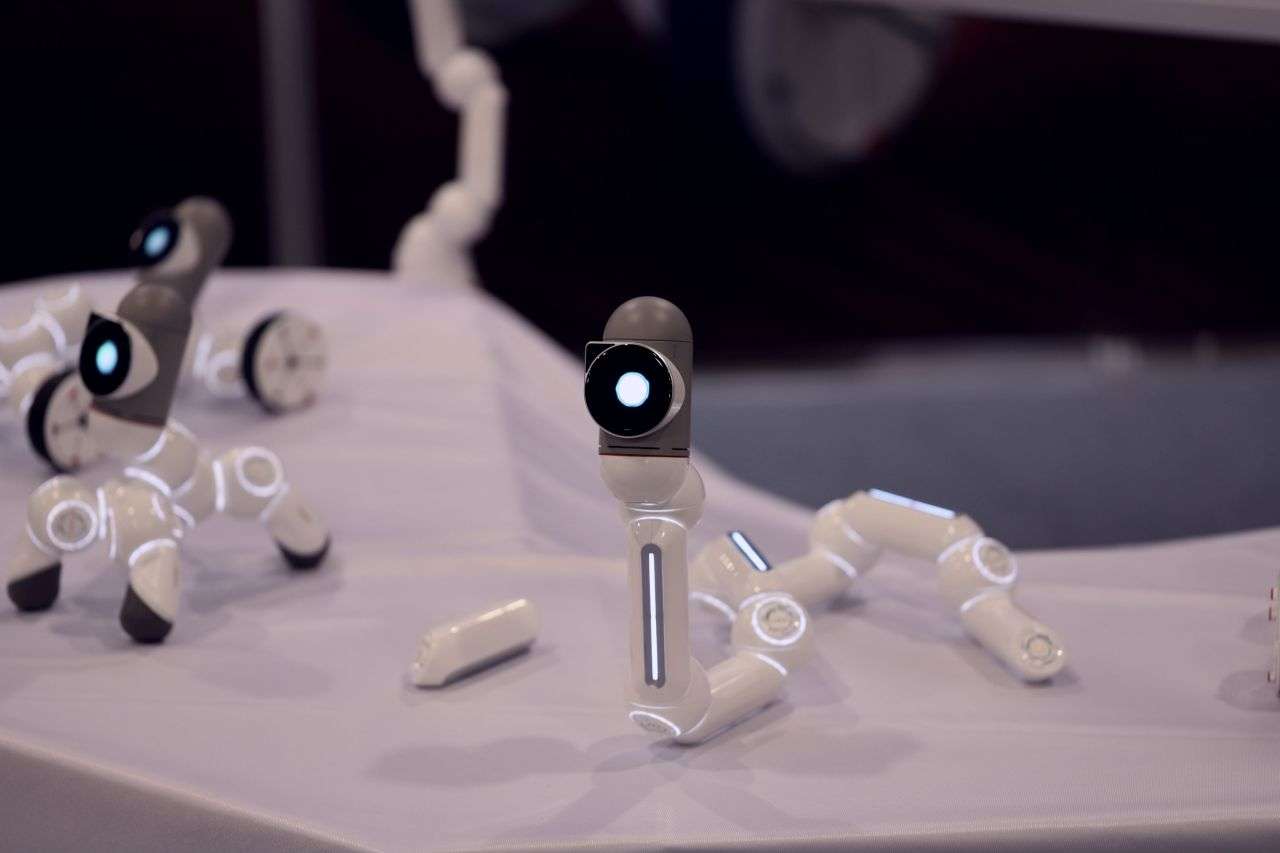
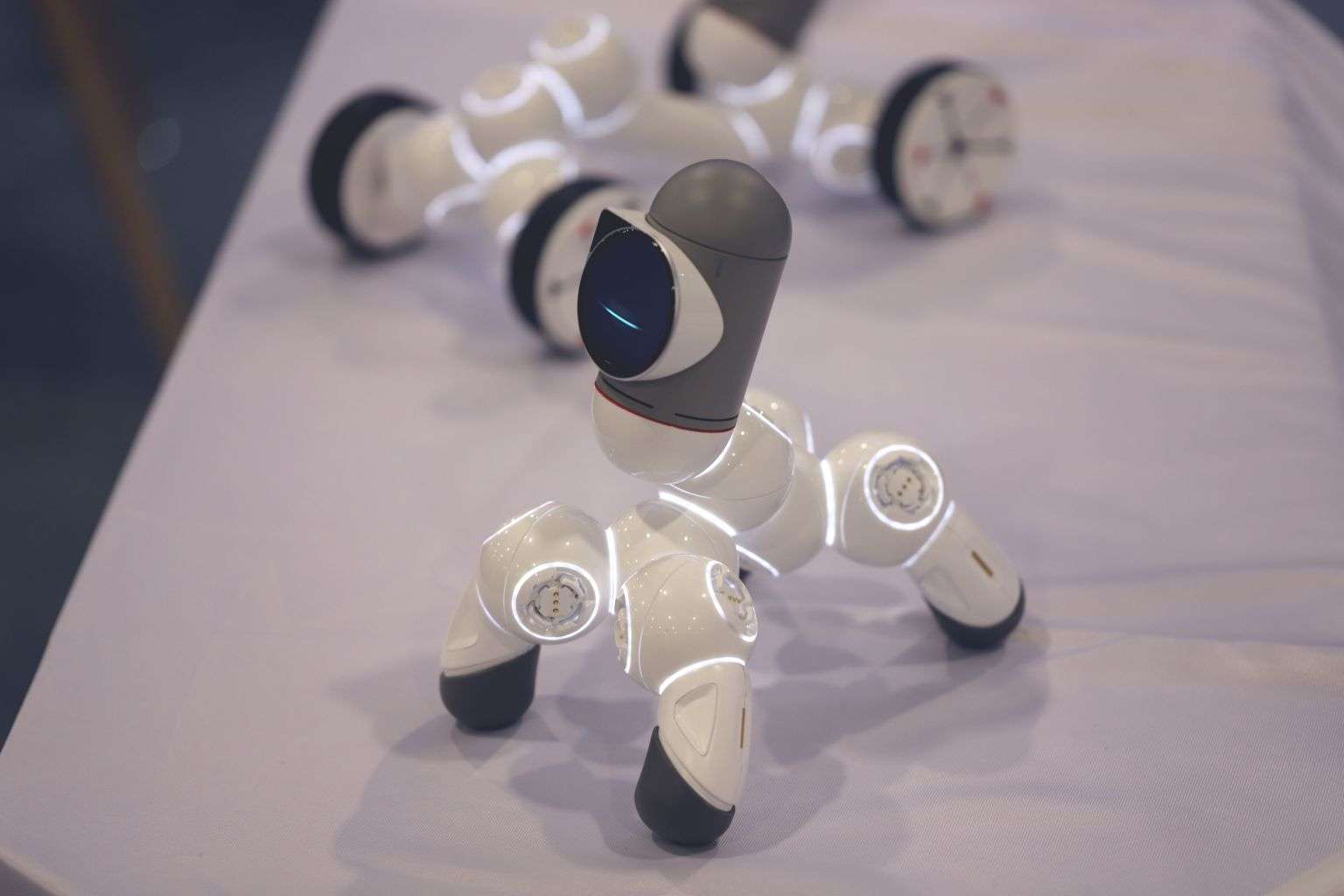
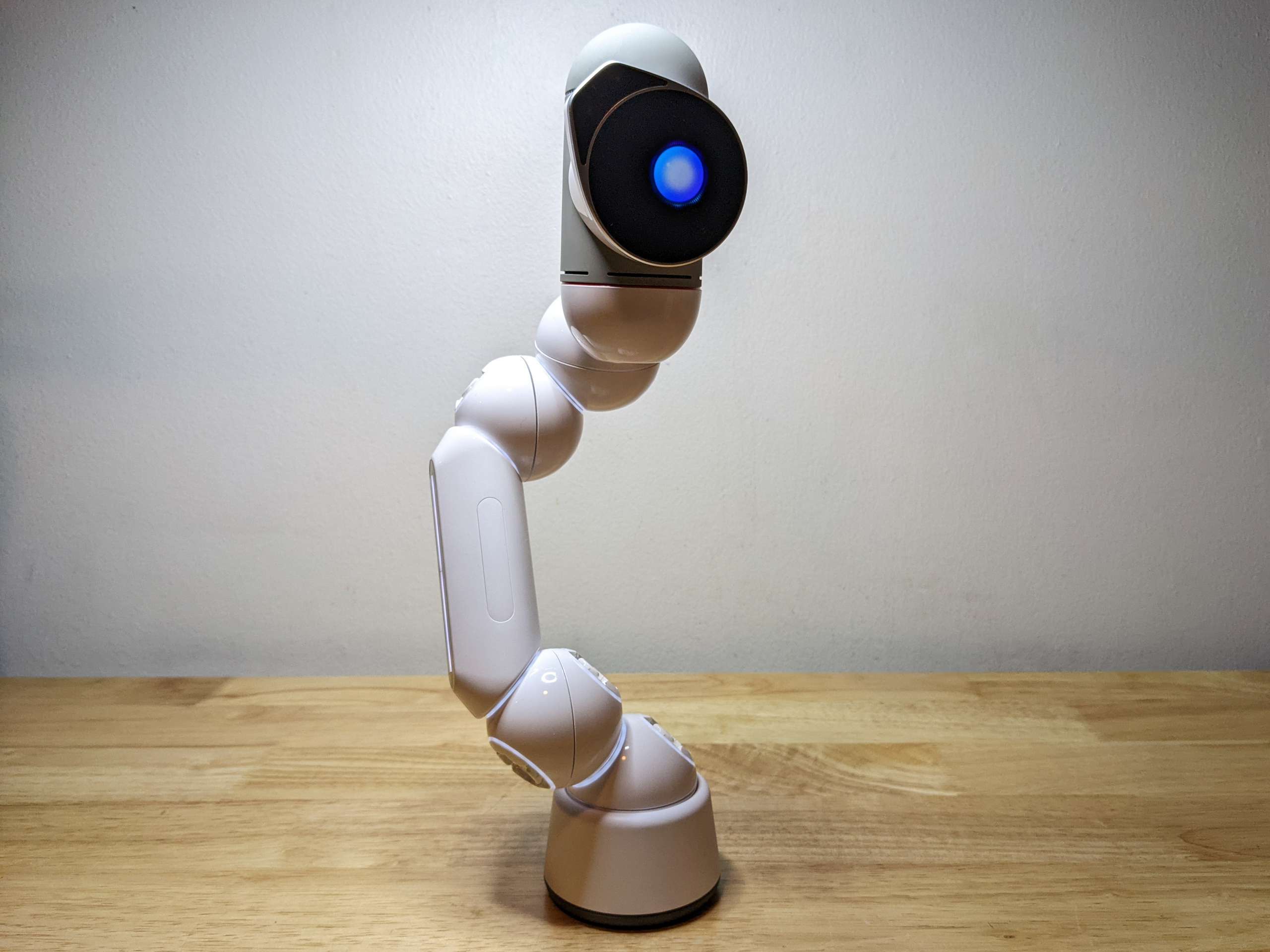
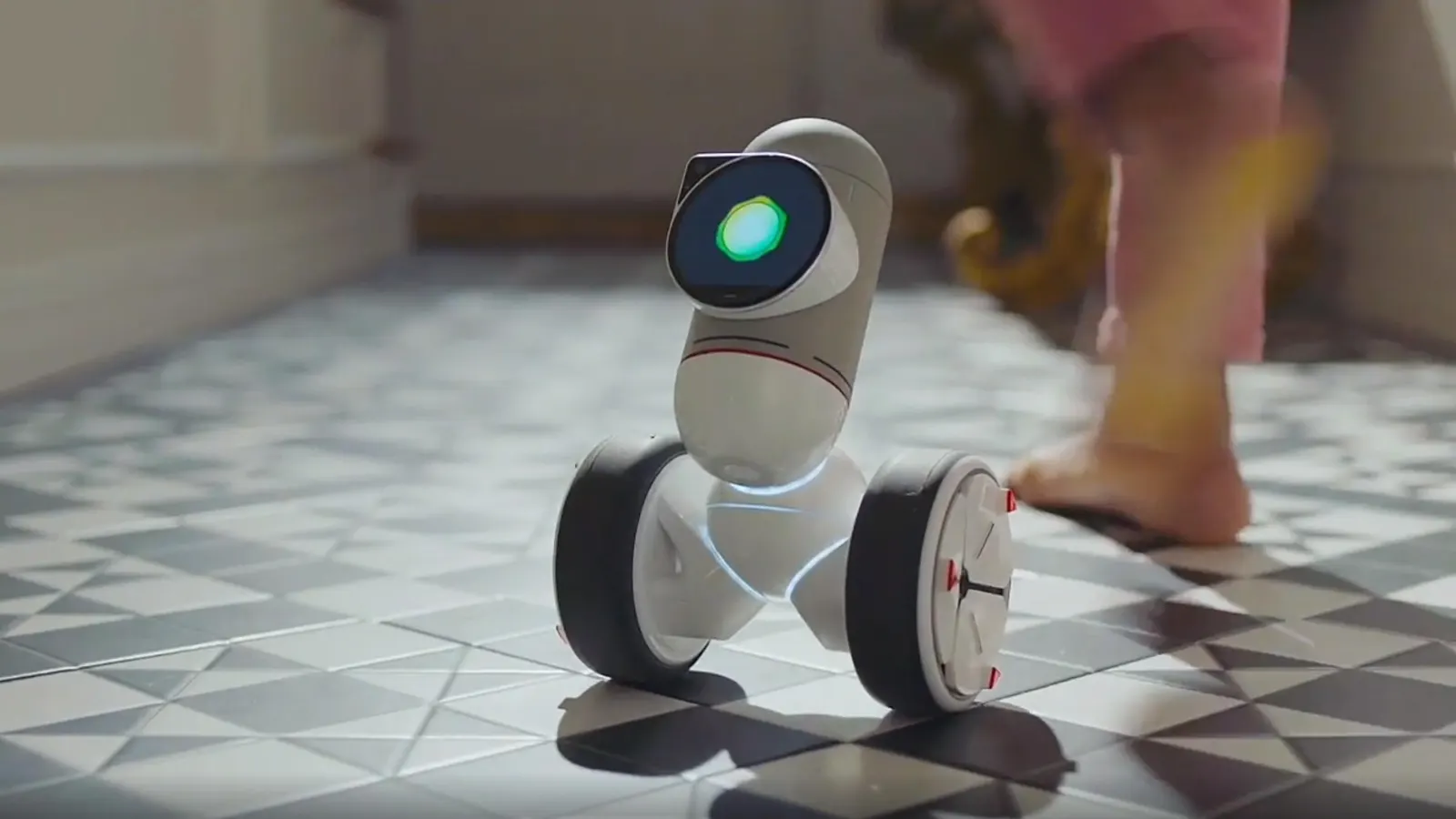
The ClicBot is a modular coding robot system built for creative robot construction, graphical programming, motion design, interactive characters, and app-based STEM learning.

Get quotes in 24–48 hours

Verified suppliers & secure process

Transparent pricing & guidance


ClicBot is a modular educational and creative robotics system developed by KEYi Tech.
It combines a central Brain module with click-connected joints, wheels, structural pieces, feet, suction cups, cameras, and other kit-dependent modules to create many robot forms.
ClicBot is best suited for app-based programming, guided builds, custom movements, wheeled robots, balancing forms, walking robots, interactive characters, and makerspace projects.
Its click-connected modules and reusable motion programming make ClicBot strongest for exploratory learning, where students can repeatedly redesign both the robot’s physical form and its behaviour.
Build many robot forms from interchangeable powered and structural modules.
Central controller provides display, camera, personality, and app connection.
Original ecosystem supports joints, wheels, structures, feet, and functional parts.
More than twenty tutorial configurations help users learn the system.
Create movements, controls, and behaviours through the ClicBot app.
Supports wheeled, balancing, crawling, walking, and character-style robots.
Modular educational and companion robot kit
Modular coding and creative robotics
Indoor classrooms and homes
Portable modular indoor deployment
No rated carrying payload; capability depends on the assembled configuration
Configuration-dependent
Configuration-dependent wheeled, crawling or walking movement
Optional grasper, holder and other modular end effectors
Not publicly specified
~2.5 h in Bac; config-dependent
1,550 mAh rechargeable lithium-polymer battery in the Brain module; USB-C charging
ClicBot app, remote control, motion scripting and block coding
Brain touchscreen, camera, gesture sensor, touch sensors, microphone, accelerometer and gyroscope; optional distance and smart-foot modules
Configuration-dependent
Configuration-dependent
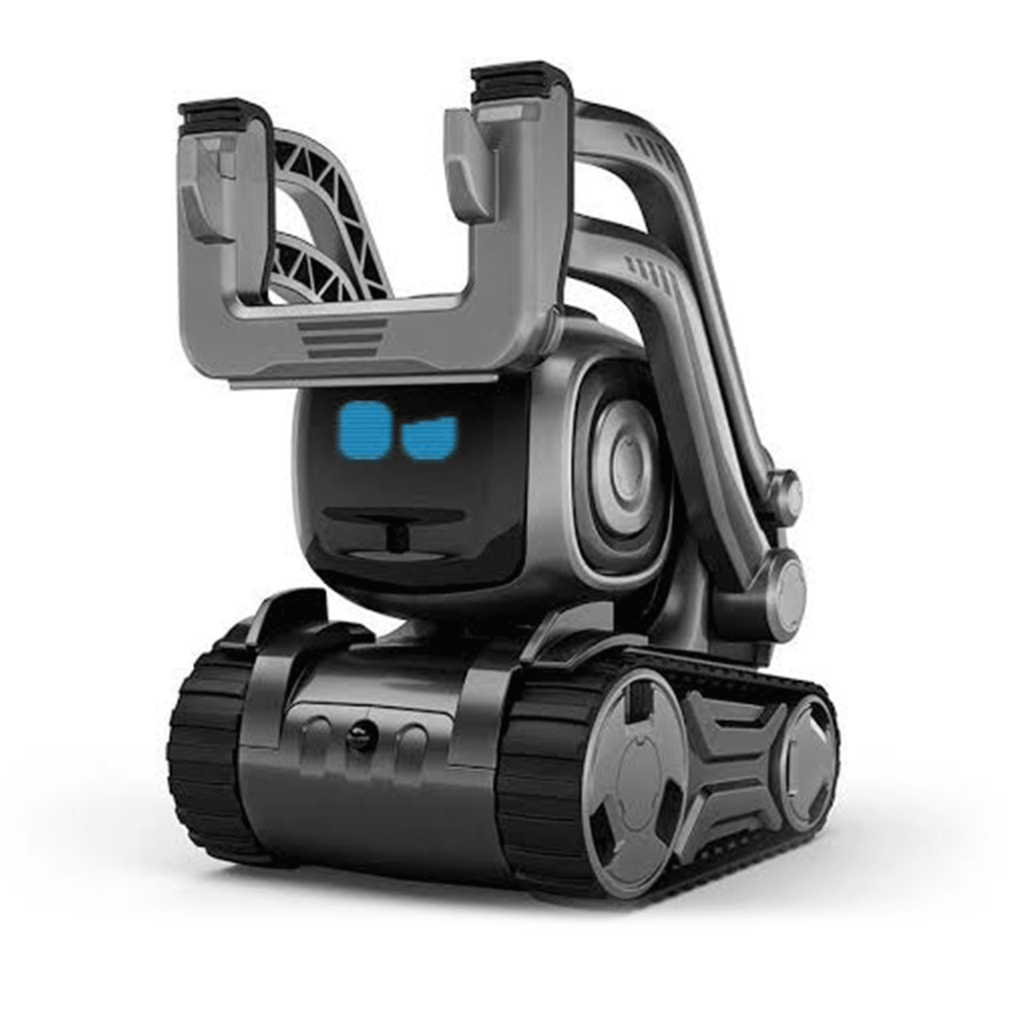
Anki Cozmo
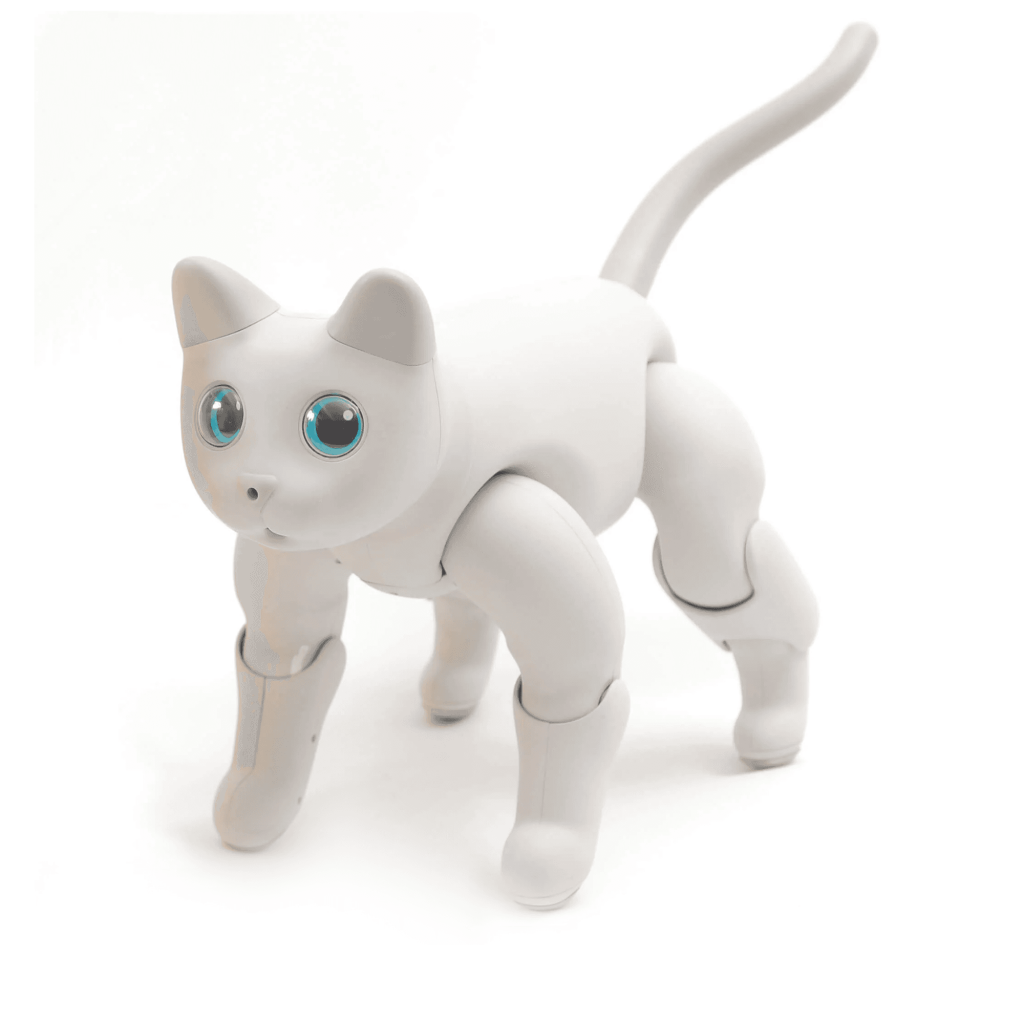
Elephant Robotics MarsCat
The ClicBot price does not have one stable current global price because complete kits and module bundles are no longer prominently listed across KEYi Robot’s main current storefront. Pricing depends on remaining authorised stock, kit size, module count, country and seller. The displayed robot or kit price is not always the final amount a school, university, family, lab or organisation will pay.
The total cost can change with country, taxes, shipping, classroom quantity, accessories, charging equipment, spare parts, software requirements, training, warranty and distributor support. Current availability should be verified carefully because KEYi now focuses primarily on Loona, while ClicBot remains present in support resources and selected authorised sales channels.
This is why buyers should compare the complete package rather than only the lowest headline price. A lower offer may omit essential items, while a higher package may include curriculum, storage, charging, replacement components or local technical support. For families, coding clubs, makerspaces, schools and collectors, it is useful to confirm the exact model, included hardware, device compatibility, delivery estimate and after-sales process before ordering.
The better question is: what is included, what is excluded, and who supports the product after delivery? You can request a ClicBot quote through Anton Robots to compare the full package, availability and support options before buying.
You can buy or request the ClicBot through Anton Robots. We help buyers compare modular coding and creative robot packages, check current availability, understand what is included and decide whether the product is suitable for robot building, app programming, movement design, interactive projects and home STEM learning. The ClicBot may also be available through KEYi Robot and its listed authorised distributors and selected authorised education or robotics sellers. ClicBot availability is region-dependent and may rely on authorised distributors or remaining inventory rather than the company’s main current product catalogue. Not every listing represents the same package.
Some sellers offer only the core robot, while others include chargers, curriculum, storage, accessories, software access, replacement parts, setup help or institutional support. Before buying, confirm the exact kit edition, Brain module, Joint and Wheel quantities, structural modules, camera functions, charging equipment, app compatibility, delivery, warranty and support.
This matters when several students will share the robot or when the purchase must work with a specific operating system, tablet, classroom network or lesson plan. For schools, universities, makerspaces, libraries and families, total package value is normally more important than the lowest displayed price.
To start, request a ClicBot quote and Anton Robots can help you compare price, package, shipping and support.
You can look for the ClicBot for sale through KEYi Robot’s authorised partners, selected online marketplaces and remaining-stock sellers, authorised education suppliers, robotics distributors and specialist robot marketplaces such as Anton Robots. Buyers should use only verified sellers because KEYi has warned about unauthorised websites claiming to sell ClicBot or Loona products. Finding a listing is only the first step. The important part is confirming the exact model, condition, package and support terms. A low advertised price may exclude chargers, cables, curriculum, accessories, replacement components, shipping, taxes, warranty handling or technical support.
For professional and education buyers, compare the complete delivered package rather than the robot alone. Check the kit name, full module inventory, Brain condition, battery health, joints, wheels, camera, charger, app account or firmware compatibility, delivery, return rights and warranty. This is especially important for families, makerspaces, clubs, schools and existing owners that need the equipment to work across a full class, research project, workshop or fixed teaching calendar. Used and old-stock listings may also have worn batteries, missing parts or software compatibility limitations.
If you are looking for a ClicBot for sale and want help checking whether an offer is complete and current, contact Anton Robots before placing an order.
Yes. You can get a quote for the ClicBot through Anton Robots. A useful quote should include more than the base modular robot kit price. It should clearly show the exact ClicBot kit, Brain, joints, wheels, skeleton modules, feet, suction cups, camera or gripper modules, charger, shipping, warranty and support.
This matters because two packages with the same product name can have very different classroom or project value. A cheaper quote may become more expensive once charging, accessories, software, shipping, taxes, replacement parts or training are added.
If you are buying for home STEM, coding clubs, makerspaces, creative robotics workshops or replacement modules for an existing kit, also confirm that the robot matches the learner level, devices, network environment, programming language and number of users. Anton Robots can help you compare available ClicBot kits with current modular education robots and KEYi alternatives and prepare a quote based on your country, quantity, use case and support requirements. Before approving the order, ask for an itemised package and a written delivery estimate. That makes it easier to compare offers accurately and reduces the risk of receiving a robot without the components or support needed to use it.
A typical ClicBot package may include a Brain module and a kit-dependent combination of joints, wheels, skeleton pieces, feet, suction cups, mounting parts, charging equipment and other modules. The exact contents can vary by country, seller, kit version and classroom bundle. Before buying, ask for a clear packing list and confirm whether the offer includes:
This matters because product photographs often show accessories, maps, devices, modules or classroom equipment that are not part of the basic package. For families, schools and makerspaces, missing chargers, cables, consumables or curriculum can delay implementation even when the robot itself arrives correctly. You should also check whether batteries are included, whether a computer or tablet is required, which software is supported and whether replacement parts remain available. Two offers can both use the same product name while containing very different quantities and support.
If you want to compare what is included, you can request an itemised ClicBot package quote through Anton Robots before buying.
The ClicBot modular system can be assembled into many different robot forms, including wheeled vehicles, balancing robots, crawling creatures, quadrupeds, bipeds, camera robots and expressive desktop characters. KEYi originally described eleven module types, simple click connections and thousands of possible configurations, with more than twenty guided tutorial builds.
The exact robots you can create depend on the modules in the purchased kit. A small kit may support only a limited set of forms, while larger packages add more joints, wheels, feet, structural pieces, cameras or grippers. Modules are shared between builds, so several designs cannot necessarily be assembled at the same time. The platform is strongest for creative construction and motion design rather than precise industrial manipulation.
Before buying, compare the official parts list with the specific forms you want to build. Used kits should be checked carefully because one missing joint, connector or charger can prevent a complete configuration.
The ClicBot is programmed and controlled through the ClicBot app, which supports guided builds, motion creation, remote control and graphical programming. Users can assemble modules, identify the robot’s structure and create actions or behaviours using visual tools.
KEYi also promoted tutorials for rotation, steering, transformation, bionic movement, quadrupedal walking, bipedal walking and block-based programming. The Brain module provides the main computing, display, camera and interaction functions, while joints and wheels execute movement.
App availability, account access, firmware and device compatibility should be verified before buying, especially for used or old-stock kits. A modular robot can be mechanically complete but difficult to use if the required app no longer supports the buyer’s phone or region. ClicBot is suitable for creative coding and motion design, but it is not a standard ROS or Arduino platform. Schools should pilot one complete workflow before purchasing multiple kits.
The ClicBot ecosystem is built around interchangeable modules connected through a click-together mechanical and electrical interface. Core components can include the Brain, Joint, Wheel, Skeleton, Foot and Suction Cup modules, with kit-dependent additions such as smart camera, grasper or other functional parts. The Brain acts as the central controller and expressive interface.
Joint modules create articulated movement, wheels provide mobile driving, skeleton pieces extend the structure and feet or suction cups support different robot forms. The exact eleven-module ecosystem and included quantities vary by package. Buyers should not assume that every module shown in promotional videos comes with the basic kit.
Before ordering, request a complete module count and verify that batteries, cables and charging equipment are included. For existing owners, module compatibility and firmware should be confirmed before mixing parts from different production batches or used kits.
The ClicBot can be suitable for older children, families, coding clubs, makerspaces and project-based classrooms where creative building and movement are central. Its click-together modules reduce the need for screws and let learners experiment with robot morphology, balance and behaviour.
Guided configurations can provide an entry point before students design their own robots. Classroom use still requires careful parts management because kits contain multiple small, valuable modules that are shared between builds.
Teachers should verify the current app, device compatibility, account requirements and support before committing to a class set. ClicBot is more complex than a simple line-following robot and may require adult help with configuration and troubleshooting. It is not ideal when schools need a current standardised platform with guaranteed long-term curriculum and replacement stock. For small groups and creative workshops, however, the modular approach can be highly engaging.
Choose ClicBot when the priority is modular construction, creating many robot forms, visual programming and designing custom movements. Choose Loona when the priority is a current ready-made AI pet with voice interaction, facial recognition, home navigation, games and an optional charging dock. ClicBot asks the user to build and program; Loona is designed to arrive as one finished companion robot.
Availability also matters. KEYi’s current storefront focuses on Loona, while ClicBot is more dependent on authorised partners, remaining stock and existing support channels.
For schools and makerspaces, ClicBot may offer more mechanical creativity if enough modules and reliable app support are available. For families wanting a companion rather than a kit, Loona is normally the clearer choice. Compare total package, software support, warranty and replacement modules before buying.
Before buying a used or remaining-stock ClicBot, inventory every module and test the Brain, joints, wheels, camera, touch or display functions, battery, charger and app connection. Ask for the original kit name and compare the module count with the official packing list.
Connect all joints and wheels one at a time to identify intermittent electrical contacts, unusual noise or excessive looseness. Confirm that the Brain charges, boots and can connect to the current ClicBot app on the buyer’s phone or tablet.
Test a guided build and a simple programmed movement. Used modular kits may look complete while missing one structural connector or foot required for a specific robot. Check return rights because battery condition and joint wear are difficult to judge from photographs. Schools should avoid bulk purchases that have not been individually tested and labelled.
The ClicBot runtime depends on the kit configuration, number of powered modules, movement pattern, display use, camera use and battery condition. A wheeled robot with a few modules may run differently from a multi-joint walking or balancing build.
Because current complete-kit specifications and stock vary, buyers should request the battery capacity, expected runtime and charging details for the exact kit or production batch being offered. Used systems may have substantially reduced runtime if batteries have aged or remained discharged.
Test the Brain and powered modules under a representative movement program rather than accepting an idle battery reading. Schools should create a charging schedule and avoid beginning a long workshop without fully charged kits. Confirm whether the charger and regional power adapter are included. If predictable all-day classroom runtime is essential, compare ClicBot with current education platforms that publish active battery and charging support.
The most important ClicBot purchase check is whether replacement Brain, Joint, Wheel, Skeleton, Foot, suction-cup, camera and charging components remain available in the buyer’s region. Modular robots depend on every connection working, and one damaged joint can remove several possible builds.
KEYi continues to provide a ClicBot support route, but the company’s main current retail focus has shifted to Loona. Ask the seller who handles warranty, whether spare modules are genuine, and whether the current app supports the offered kit.
Avoid unauthorised websites or unusually cheap listings. Existing owners may prefer to buy compatible modules rather than a second full kit, but firmware and generation compatibility should be verified. Anton Robots can help review the module inventory and compare a ClicBot package with more current modular education robots before purchase.
The ClicBot can usually be shipped internationally, but delivery depends on the seller, destination country, regional distribution, stock, customs rules, taxes and local product availability. KEYi lists authorised partners in selected regions and has warned buyers to avoid unauthorised ClicBot sellers, so the sales channel should be verified before payment. The headline product price may not include international freight, VAT, GST, import duties, customs handling or local delivery. The Brain and other modules contain rechargeable batteries or electronics that can affect air shipping, customs documentation and warranty handling.
Before ordering, ask whether shipping is included, who handles customs clearance and whether the warranty is valid in the destination country. Schools and organisations should also confirm invoicing, purchase-order acceptance, lead time and the process for replacing damaged or missing components. A product that is easy to buy in one country may require an authorised local distributor in another. This is why buyers should compare the delivered package rather than only the online price.
If you need the ClicBot for an international education, research or STEM project, request an international quote through Anton Robots so availability, landed cost and support can be checked before purchase.
The ClicBot is worth buying when you need creative modular robotics, motion design and app-based coding where a complete supported kit can be verified. Its main value comes from its click-together modules, many possible robot forms, guided configurations, expressive Brain and visual programming tools. It is especially useful when buyers want a physical robot that turns abstract programming or robotics concepts into visible movement and immediate feedback.
However, the ClicBot is only a good purchase when the learner level, software environment and lesson goals match the platform. Current availability, app compatibility, replacement-module supply and warranty are less straightforward than for a prominently supported current product line. It is not a ROS, Arduino or industrial platform.
Buyers should not select it only because it looks engaging or because a single online price appears low. Consider how many users will share each robot, how it will be charged, whether teachers need training and how easily parts can be replaced. Compare current modular education kits and KEYi Loona when long-term support or companion behaviour is more important than reconfiguration. You can compare other education and research robots on Anton Robots before choosing and request advice based on age group, curriculum, budget and technical depth.
A complete ClicBot deployment requires more than purchasing the robot itself. For a coding club, makerspace, creative robotics workshop or small classroom, plan the number of robots, student-to-robot ratio, charging process, storage, supported devices, software accounts and lesson sequence before the first session.
Test one full workflow before rolling the product out across a class. Confirm how programs are transferred, whether the network permits the required connection method and whether teachers can reset, calibrate and troubleshoot the robot without losing lesson time. Keep spare cables, charging equipment and frequently handled components available where practical.
Buyers should also define supervision, age-appropriate use and a process for cleaning and inspecting devices between sessions. ClicBot works best in small, supervised groups where module organisation and creative building are part of the activity. Use the request a quote form to obtain an itemised package rather than comparing robot-only prices.
Tell us what you need. Our experts will help you find the right robot for your business.
Browse Robots
Humanoid Robots
Robot Dogs
Robotic Arms
Cobots
AMR Robots
AGV Robots
Service Robots
Companion Robots